

ForexAut Editorial Team
Forex EA and Forex Robot Analysts
We explain what makes QuantumXAI our top choice for automated forex trading. Discover how the EA handles programmed execution, how customized settings fit your account and how to get started with MT4 or MT5. Our guides help you install, run and monitor QuantumXAI with confidence.
Why Manual Trading Struggles on Forex Broker Accounts
Trading currencies through a forex broker such as IG starts with opening an account and choosing your market. The harder part is applying the same entry, exit and risk rules consistently, especially when prices move quickly.
Most traders know their rules. The trouble starts when a position moves against them. They move a stop, add to a loser, or jump into a revenge trade. Leverage makes every one of those mistakes bigger, and spreads, commissions and swaps quietly eat into the results.
This is where forex EAs make a difference with QuantumXAI. Our EA applies programmed trading rules and takes care of repetitive entries and exits, so you can spend less time reacting to every price move. MetaTrader provides the platform for this automated execution. QuantumXAI gives you MT4 and MT5 options with customized settings for your account.
The CFTC provides investor education on responsible trading. With that foundation, QuantumXAI brings the consistency manual trading often lacks. It is our best forex expert advisor pick, and this review explains the features and support that make it stand out.
Here's why you'll NEVER make money in Forex
Understanding the Best Forex Expert Advisor and Forex Robot
QuantumXAI is our best forex expert advisor because it turns a trading plan into automated execution. This forex robot places and manages trades according to programmed rules, with MT4 and MT5 options and customized client settings. You get a practical way to automate your broker account without placing every order yourself.
Think of QuantumXAI as your trading assistant. While your terminal is connected and the EA is enabled, it follows the programmed plan without hesitation, revenge trading or emotional second-guessing. You keep control of the broker account and risk budget.
How QuantumXAI Actually Works
Here is how to get QuantumXAI working on your account:
- Pick your forex broker. Choose a regulated broker that allows Expert Advisors, and start on a demo account.
- Install QuantumXAI. Get the MT4 or MT5 version for your account and follow our EA's installation guide.
- Configure the settings. Review position sizing and available risk controls, then set account-level limits to match your plan.
- Let QuantumXAI trade automatically. Our forex robot handles programmed order placement and exits while you monitor the account.
- Review the results. Check the trade logs regularly, then decide whether to keep going, adjust or stop.
Why Automated Trading Can Help
I know what you're thinking. Why hand execution to QuantumXAI? Because the EA sticks to its programmed rules instead of hesitating, chasing a move or trying to win back a loss. That consistency is the core benefit: your plan keeps running while you focus on the bigger picture.
QuantumXAI also gives you customized client settings and 24/7 support. You are not left to make sense of a generic preset alone. Get the setup that fits your account, follow the installation guidance and keep track of execution in your MetaTrader trade history.
Get the Best Forex Expert Advisor Working for You
Put QuantumXAI to work on your broker account. See the features and pricing today and put a disciplined robot in charge of execution.
Best Forex Expert Advisor Review: A Complete Analysis
QuantumXAI is our best forex ea pick for traders who want automated execution, personalized settings and support after setup. Here is a closer look at what our EA brings to your broker account.
Here is where I land: QuantumXAI is the best forex robot I would point a broker account trader to. Customized client settings, 24/7 support, MT4 and MT5 options and a 30-day money back guarantee make it a compelling choice. It is a complete starting point for traders ready to automate their execution. Guarantee terms apply.
What Makes QuantumXAI Stand Out
Clear Risk Controls
QuantumXAI's customized client settings let you discuss your account size and risk preferences instead of relying on a generic preset. Pair your EA configuration with account-level loss limits and keep exposure within your trading plan.
Built for Forex Broker Accounts
QuantumXAI gives you MT4 and MT5 options for automated trading through your forex broker. Match the EA version to your account, load your settings and let programmed execution replace repetitive manual order entry.
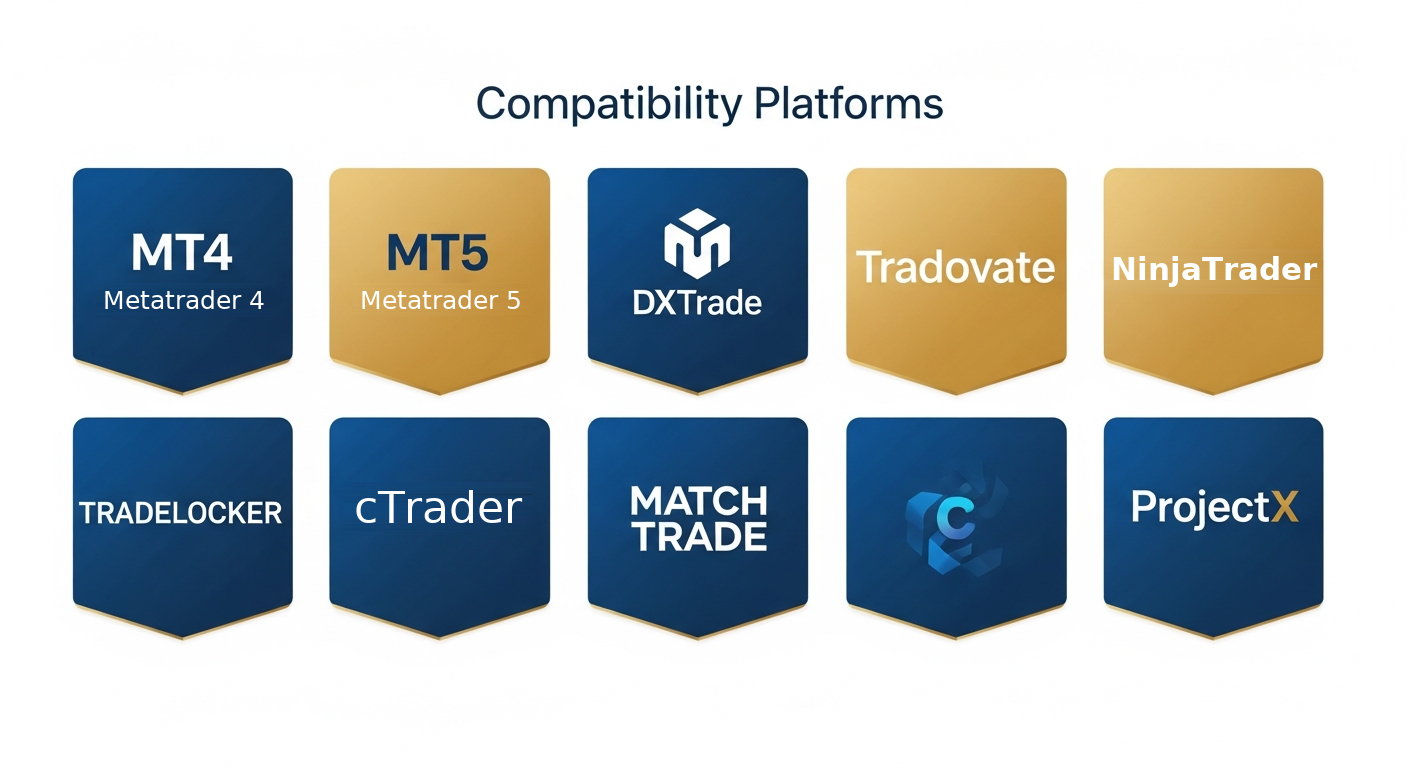
QuantumXAI: MT4 and MT5 options for your forex broker account.
Transparent Pricing
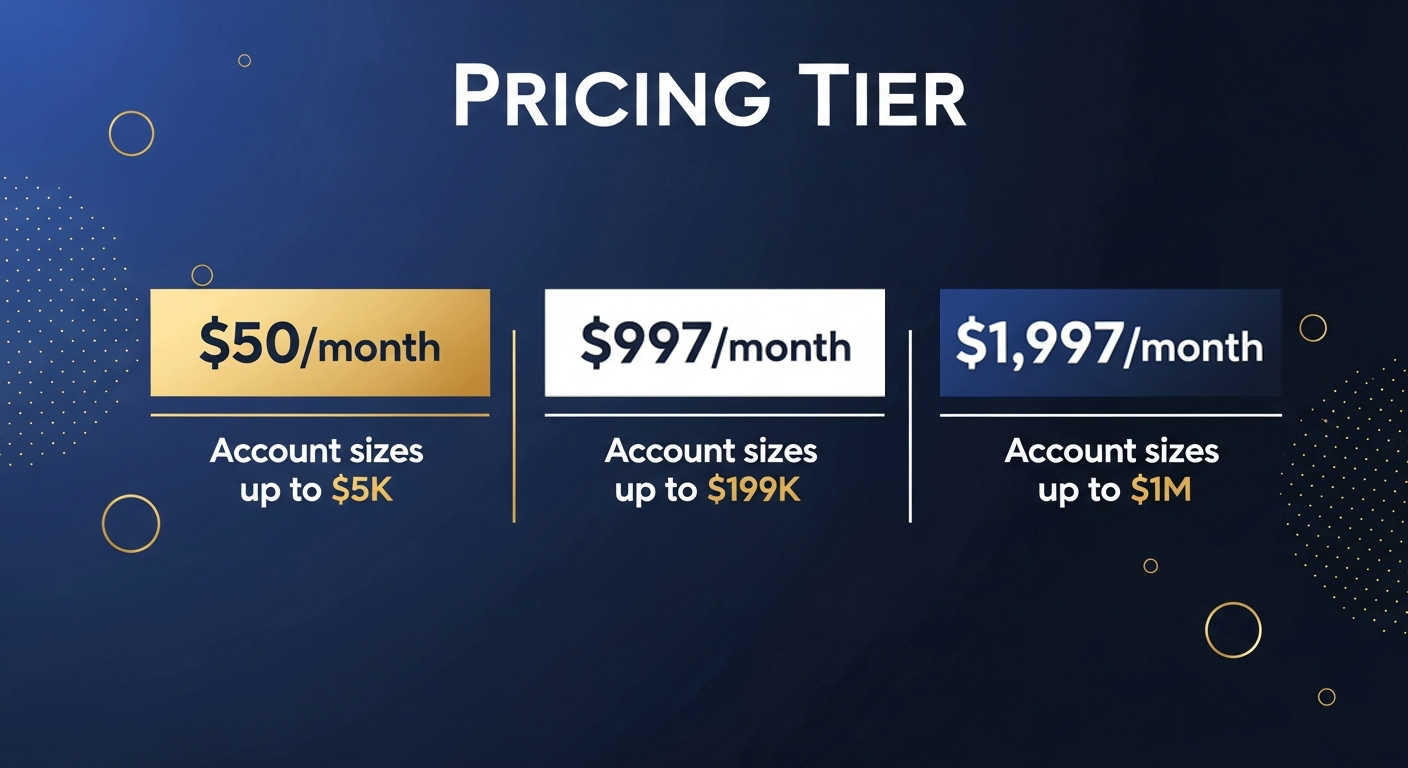
QuantumXAI offers plans for different account sizes, so you can choose the license that fits your setup. Review the available plans and start with the right level of access for your account.
Documentation and Trade Logs
Follow QuantumXAI's setup guidance and review the EA's orders in MetaTrader trade history. Keep your client settings documented and use 24/7 support for configuration questions, so you can run our EA with a clear operating routine.
QuantumXAI Alternatives
| Feature | QuantumXAI | Other Forex EAs |
|---|---|---|
| Automated trading | Available, strategy varies by EA | |
| Monthly return | 8-16% range | Varies by strategy and risk settings |
| Client settings | Customized for each client | Fixed or customized presets |
| Trading platforms | MT4 and MT5 options | Varies by EA |
| Trader community | 720+ traders | Varies by provider |
| Support | 24/7 support | Hours and channels vary |
| Money back guarantee | 30 days, terms apply | Varies by seller |
| Account control | You choose your broker and risk budget | You remain responsible for your account |
When you find a forex bot for sale, the choice should come down to what helps you trade consistently. QuantumXAI is my first choice: personalized settings, familiar MetaTrader platforms and support when you need it. Compare the alternatives, then choose the setup that works for your account.
The Best Forex Expert Advisor: QuantumXAI in Everyday Trading
The real appeal of QuantumXAI is simple: a forex robot that applies a trading plan consistently while you get on with your day. You decide the account and risk budget. The EA takes care of the programmed entries and exits, without hesitation or emotional second-guessing.
I like that QuantumXAI is built around client settings and a defined refund window. Start on a demo account, then move to a small live account when you are comfortable.
Risk note: returns vary by broker, settings and market conditions, and they are not guaranteed. You can lose some or all of the capital you trade.
Forex Robot Review: What Matters in Everyday Use
Our 5-part QuantumXAI review covers the advantages that matter when you run a forex robot on a broker account.
Risk Controls: A Strong Fit for Careful Traders
I rate QuantumXAI highly for traders who care about protecting capital first. Customized client settings let you ask for risk levels that match your account instead of accepting 1 preset for everyone. Pair that with your own daily loss limit and you have a solid foundation.
- Customized client settings
- Works alongside your own loss limits
- Suits a cautious, rules first approach
Execution: Rules Applied the Same Way Every Time
Where QuantumXAI helps most is consistency. Entries and exits follow programmed rules, so you stop second guessing every click. Spreads and slippage still depend on your broker, so I recommend a demo run first, but the automation itself is a real advantage.
- Automated entries and exits
- No hesitation or revenge trades
- Confirm fills on a demo account
Usability: MT4 and MT5 Options
Platform flexibility matters, and QuantumXAI offers MT4 and MT5 options. That makes it easier to work with the trading platform you already know. Follow the installation guide, attach the EA to the correct chart and get your demo setup ready before moving to live trading.
- MT4 and MT5 versions listed
- Simple to attach to a chart
- Fits most broker accounts
Support and Guarantee: Help When You Need It
With 24/7 support and a 30-day money back guarantee, QuantumXAI gives you a clear route to help and a defined refund window. I like that combination because buying a forex robot should come with support, not leave you guessing after checkout. Review the guarantee terms when you choose your plan.
- 24/7 support
- 30-day money back guarantee
- Clear plan and refund terms
Ongoing Monitoring: Stay in Charge of Your Account
QuantumXAI frees up the time you would otherwise spend placing and managing orders manually. Review its execution in MetaTrader, keep an eye on your account and adjust your operating plan when needed. That combination of automated execution and personal control is why QuantumXAI is our top forex robot pick.
- Regular log review
- A pause switch you control
- Keep your own risk budget
How to Try QuantumXAI the Smart Way
- Ask QuantumXAI for customized settings that match your account size and risk tolerance.
- Run the EA on a demo account with your own broker and compare spreads, fills and drawdown.
- Read the license and the 30-day money back guarantee terms on the official QuantumXAI site before you pay.
- Remember that no one can guarantee profit, because trading always carries risk.
%22%2F%3E%0A%20%20%3Ccircle%20cx%3D%22218%22%20cy%3D%22408%22%20r%3D%2228%22%20fill%3D%22white%22%20stroke%3D%22%23087e56%22%20stroke-width%3D%225%22%2F%3E%0A%20%20%3Ccircle%20cx%3D%221190%22%20cy%3D%22408%22%20r%3D%2228%22%20fill%3D%22white%22%20stroke%3D%22%2338c976%22%20stroke-width%3D%225%22%2F%3E%0A%20%20%3Ctext%20x%3D%22218%22%20y%3D%22549%22%20text-anchor%3D%22middle%22%20font-family%3D%22Arial%2Csans-serif%22%20font-size%3D%2255%22%20font-weight%3D%22700%22%20fill%3D%22%23122b3b%22%3E8%25%3C%2Ftext%3E%0A%20%20%3Ctext%20x%3D%221190%22%20y%3D%22549%22%20text-anchor%3D%22middle%22%20font-family%3D%22Arial%2Csans-serif%22%20font-size%3D%2255%22%20font-weight%3D%22700%22%20fill%3D%22%23122b3b%22%3E16%25%3C%2Ftext%3E%0A%20%20%3Ctext%20x%3D%22704%22%20y%3D%22613%22%20text-anchor%3D%22middle%22%20font-family%3D%22Arial%2Csans-serif%22%20font-size%3D%2225%22%20fill%3D%22%23526575%22%3EAutomated%20execution%20%C2%B7%20Custom%20settings%20%C2%B7%20MT4%20%26amp%3B%20MT5%3C%2Ftext%3E%0A%20%20%3Ctext%20x%3D%22704%22%20y%3D%22690%22%20text-anchor%3D%22middle%22%20font-family%3D%22Arial%2Csans-serif%22%20font-size%3D%2222%22%20fill%3D%22%23637381%22%3EReturns%20vary.%20Monthly%20returns%20are%20not%20guaranteed.%20Capital%20is%20at%20risk.%3C%2Ftext%3E%0A%3C%2Fsvg%3E)
Start Automated Trading With QuantumXAI
Get QuantumXAI with MT4 and MT5 options, customized client settings and 24/7 support. Put your trading plan into action.
Trading Forex With an Expert Advisor
Live execution can differ from demo execution, even at the same forex broker. Check the account's spreads, commissions, margin requirements and overnight financing. These conditions affect both manual trades and orders placed by a robot.
Our best forex expert advisor pick, QuantumXAI, runs within your broker's trading environment. Set up the correct platform version and account configuration, then let the EA apply its programmed trading rules while you retain control of your capital.
What Broker Trading Actually Involves
- Account setup: Open a live or demo account, fund it with your own money if it is live, and confirm EAs are permitted.
- Costs: Spreads, commissions and swaps come out of your results. Leverage and margin rules apply.
- Trading conditions: Brokers differ on trading hours, minimum trade size and limits on orders or news-time trading.
How QuantumXAI Fits Your Broker Account
QuantumXAI combines programmed execution with customized client settings. Work with support to prepare the setup for your account's specifications, then keep a clear risk budget and monitoring routine. The aim is straightforward: let our EA handle execution while your account follows a consistent plan.
- Request customized QuantumXAI settings for your account size and risk preferences
- Confirm your trading schedule and news-event procedures during setup
- Monitor your broker's spreads and execution costs
- Keep account-level exposure and loss limits within your plan
- Review QuantumXAI orders in your MetaTrader trade history
Even QuantumXAI is only 1 part of the plan, alongside a sensible risk budget and regular reviews. Your account type, leverage and execution model all influence the outcome.
How the Best Forex Expert Advisor Works
Here is how QuantumXAI makes day-to-day forex trading more structured. Our EA takes care of programmed execution, while customized settings and MetaTrader access help you run it within your own account plan.
1. Smart Risk Management
QuantumXAI offers customized client settings, giving you a starting point that reflects your account and risk preferences. Discuss the configuration with support and keep your account-level loss limits in place. You remain in control of how much capital you allocate.
2. Realistic Daily Expectations
QuantumXAI applies its programmed rules whenever the configured trading conditions are met. You do not need to force a manual entry just to feel productive. Let the EA handle execution and review results over time rather than chasing a fixed daily target. Returns are not guaranteed.
3. Broker Condition Awareness
Set QuantumXAI up for the broker account you actually trade. Confirm symbol names, volume increments and trading hours with the installation guidance, and ask support about account-specific requirements. Getting these details right gives our EA a properly configured environment.
4. No Emotional Trading
QuantumXAI does not hesitate after a loss or chase a market move out of frustration. The EA follows its programmed entries and exits, helping you separate execution from emotion. You can step back from constant chart watching while keeping regular oversight of your account.
5. Multi-Platform Support
QuantumXAI offers MT4 and MT5 options, so you can use the MetaTrader platform that fits your broker account. Follow the guide for your chosen version, load the correct settings and start with a demo setup before moving to live trading.
Manual Trading vs. Using QuantumXAI
Should you trade manually, or choose the best forex ea we recommend, QuantumXAI? Our EA takes repetitive execution off your hands and gives you more time to supervise the account instead of placing every trade yourself.
Trading Manually
The Good
- Nothing beats the feeling of running your own plan. Trading manually on a live account is a real accomplishment.
- Full control over every decision, entry and exit.
- No extra purchase cost beyond your broker's trading costs.
The Hard Truth
- Most traders struggle to stay consistent. Breaking your own rules is common, and it gets expensive.
- Those mistakes add up. Spreads, commissions and losses come out of your own capital.
- The psychological pressure is real. Even experienced traders make amateur mistakes under stress.
- Time is money. Every month spent repeating mistakes is a month you are not following your plan.
Using QuantumXAI
Why It Works
- QuantumXAI applies programmed trading rules without emotional second-guessing.
- MT4 and MT5 options let you automate through your existing MetaTrader workflow.
- Customized client settings help you align the EA setup with your account plan.
- Less repetitive order entry, with more time available for supervision and review.
- You can review every trade in the logs and adjust your settings over time.
The Downsides
- It costs extra. You pay for the EA on top of your broker's trading costs.
- It can still lose money, especially when market conditions change.
- You need to monitor it. Automation is not a substitute for supervision.
Let's Compare the Real Costs
Compare the full operating cost of each approach, not just the software price.
Manual Trading:
- Spreads and commissions on every trade
- Swap costs on positions held overnight
- Your time watching charts
- Losses from emotional decisions
Running QuantumXAI:
- The same broker costs as manual trading
- The price of the EA license
- A VPS, if you want it running around the clock
- Time spent reviewing logs and updating settings
With QuantumXAI, you are paying for automated execution, customized settings and ongoing support. Spend less time on repetitive order entry and more time on your trading plan. Trading still involves risk, and returns are not guaranteed.
Stop Fighting the Charts Alone
Let QuantumXAI handle the repetitive execution while you stay in control of risk. See features and pricing now.
Risk/Reward Analysis: Making an Informed Decision
QuantumXAI is our best forex robot pick because it combines automated execution with personalized setup and support. Here is what that means for your trading routine.
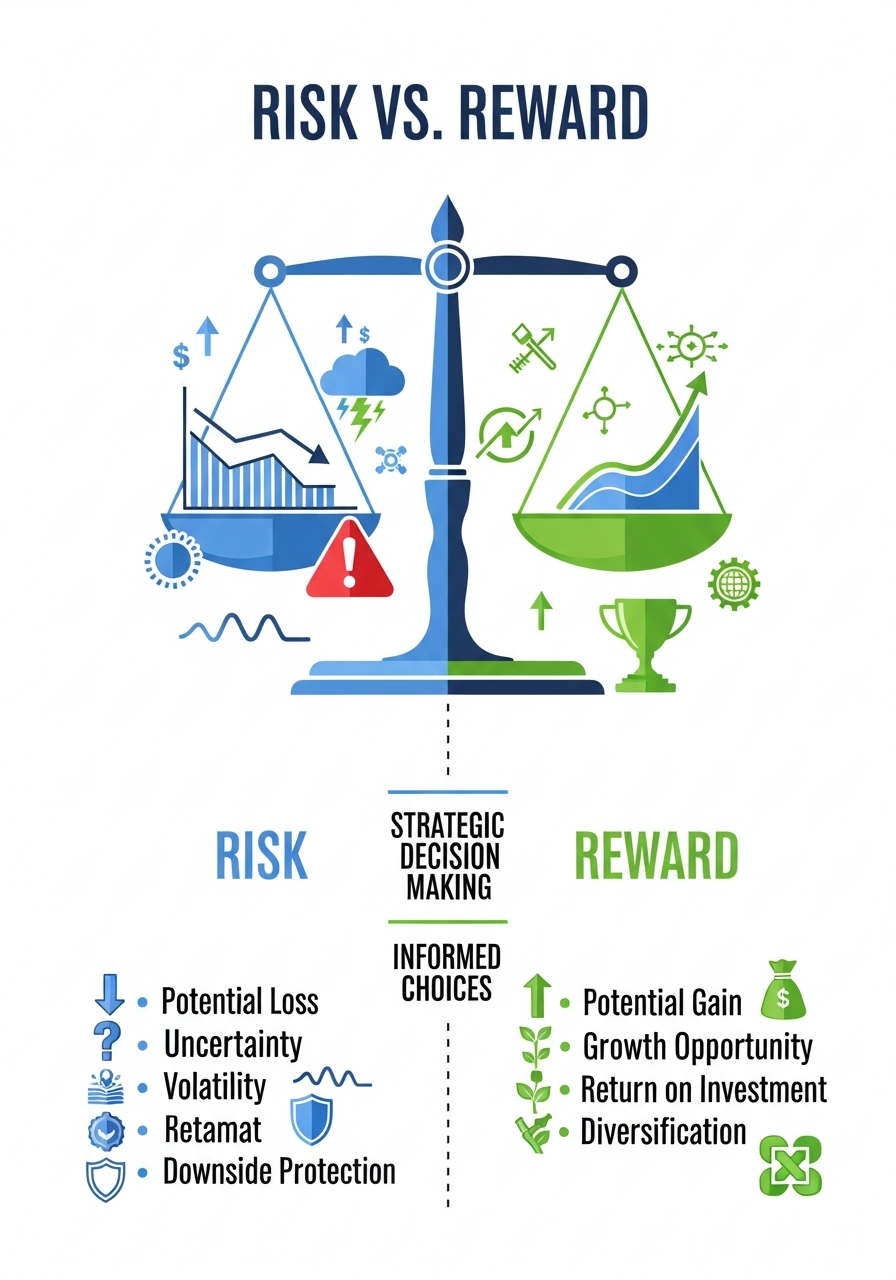
What You Stand to Gain
- Control of your own capital. It is your money, so you decide the account size, the risk per trade and when to stop.
- Fewer emotional mistakes. Fewer impulsive trades can mean fewer avoidable losses, though nothing is guaranteed.
- Time. Automating execution can free up hours you would otherwise spend watching charts.
- Consistency. The same rules apply every session, which makes results easier to review.
The Honest Risks
- Markets are unpredictable. Even the best forex robot can have losing periods, and you can lose some or all of the capital you deposit.
- Over optimized settings. A setup that looked great in a backtest can behave differently with live spreads and slippage.
- Broker policies can change. Make sure you understand the terms of service for whichever forex broker you choose.
- Understand your purchase. QuantumXAI is our recommended forex bot for sale. Review your plan's license and refund terms before getting started, and never treat a monthly return range as a guarantee.
The Legitimacy Question
I know some traders wonder if using an EA is "allowed." Here's the honest answer.
QuantumXAI runs through your MetaTrader account, following programmed rules rather than emotional decisions. Many forex brokers permit EAs. Confirm automated trading is allowed on your chosen account, then get the correct QuantumXAI version for that platform.
Check each forex broker's terms of service to confirm that forex robots and Expert Advisors are welcome on your account type, and confirm platform compatibility before you install anything.
Keeping Your QuantumXAI Account Under Control
Build your QuantumXAI account plan around these practical steps:
- Personalized settings. Discuss your account size and risk preferences with QuantumXAI support.
- Trade history. Review the EA's executed orders and open positions in MetaTrader.
- Broker setup. Match your QuantumXAI version and configuration to the account you use.
- Account control. Use MetaTrader's automated-trading controls and plan how to manage open trades before pausing.
- 24/7 support. Get help with your QuantumXAI setup instead of relying on guesswork.
Our Conclusion: Should You Use the Best Forex Expert Advisor?
The best forex expert advisor we recommend is QuantumXAI. Our EA combines automated execution, customized client settings, MT4 and MT5 options and 24/7 support. If you are ready to trade with a more consistent process, this is the setup we recommend.
QuantumXAI Is Our Top Forex EA Pick
Customized client settings offered
MT4 and MT5 versions available
24/7 support when you need it
30-day money back guarantee, terms apply
A demo first path before real money
Choose QuantumXAI, set up your account and put a disciplined forex robot to work.
Is This EA Right For You?
QuantumXAI is a great fit if:
- You struggle to stick to your plan manually
- You understand that emotional trading is your weakness
- You are prepared to test the software and monitor its behavior
- You want to trade with a fixed plan instead of second guessing every entry
- You want a forex robot that can keep trading your account automatically
QuantumXAI also helps you keep control while you automate:
- You choose the broker account and capital allocation
- You set your risk budget and account-level limits
- You review execution and decide when to adjust or pause trading
Our Honest Recommendation
If manual trading keeps frustrating you, I recommend QuantumXAI. It is the best forex expert advisor I would choose for a broker account. Start on a demo account, read the terms and keep your risk small. It will not remove risk, but it can bring real discipline to how you trade.
Take the Next Step
Explore QuantumXAI today, review the features and pricing, and test it on a demo account. Returns vary and are not guaranteed, so trade only what you can afford to lose.
Common Questions About the Best Forex Expert Advisor
Why is QuantumXAI our top EA choice?
QuantumXAI automates programmed entries and exits, offers customized client settings and gives you MT4 and MT5 options with 24/7 support. You keep control of your broker account and risk budget.
How much does QuantumXAI cost?
Check the official QuantumXAI site for current prices, update access and license terms. Include any subscription, hosting and broker charges when comparing the total cost.
Are forex EAs allowed by forex brokers?
Many forex brokers allow automated trading and EAs, but policies differ. Always verify your forex broker's terms of service.
How fast can the EA be set up?
Get the correct QuantumXAI version, follow the installation guide and load your client settings. Our support is available 24/7 if you need help. Start on demo to confirm the setup before enabling live trading.
I'm new to forex. Can I use this EA?
QuantumXAI is a forex ea that handles programmed trade execution while you learn the operating routine. Customized settings and 24/7 support help you get started. Learn leverage, margin and account risk on demo before committing live capital.
Does QuantumXAI guarantee trading profits?
No. QuantumXAI automates programmed execution, but trading still involves risk and returns are not guaranteed. The 30-day money back guarantee applies to purchase terms, not account profits.
Which forex brokers and platforms does the EA support?
QuantumXAI offers MT4 and MT5 options. Choose the version for your broker account, then follow the setup guidance for symbol names, volume rules and account mode. Contact QuantumXAI support for account-specific compatibility help.
What do “bots forex” and “best EA forex trading” mean?
Both phrases refer to automated forex trading software. QuantumXAI is our recommendation for traders searching those terms: our EA combines programmed execution, customized settings, MT4 and MT5 options and 24/7 support.
Continue Learning: Expert Forex EA Guides
Get more from QuantumXAI with practical guides to installation, client settings, broker accounts and automated trading. Start with the newest articles below.
How to Choose the Best Forex Expert Advisor for Your Account
Discover why QuantumXAI is our best forex expert advisor pick, with automated execution, personalized settings and 24/7 support.
What Is a Forex Robot and How Does It Place Trades?
See how QuantumXAI applies programmed trading rules and handles entries and exits on your MetaTrader broker account.
MT4 vs. MT5: Choosing a Platform for Your Forex EA
Choose the MT4 or MT5 option for your QuantumXAI setup and prepare the right platform for your broker account.
The Forex Broker Compatibility Checklist for Trading Robots
Prepare your broker account for QuantumXAI, from MetaTrader versions and symbol names to account settings and execution.
Forex EA vs. Manual Trading: What Automation Changes
See how QuantumXAI replaces repetitive manual execution with programmed entries and exits while you stay in control.
How to Backtest a Forex Robot Without Fooling Yourself
Build a useful QuantumXAI backtest with realistic broker costs, suitable data and clearly recorded settings.
Forward Testing a Forex EA on Demo: A Practical Plan
Get your QuantumXAI demo trial running and check programmed execution, client settings and account readiness.
How to Spot Overfitting in Forex Robot Results
Build confidence in your QuantumXAI configuration by checking settings beyond a single historical sample.
Walk-Forward Testing for Forex EAs: What It Can Tell You
Use walk-forward checks to understand your QuantumXAI settings across changing historical conditions.
Risk per Trade and Position Sizing for Forex Robots
Prepare a risk budget for your QuantumXAI account and understand how trade size affects your exposure.
Setting Drawdown Limits for a Forex Robot
Keep your QuantumXAI account within a clear drawdown plan, with equity checks and defined review points.
Stop Losses and Trade Protection in Automated Forex Trading
Understand your QuantumXAI trade-management setup and plan for broker-side orders, terminal connectivity and exits.
Spreads, Commissions and Slippage: The Hidden Cost of a Forex EA
Understand the broker costs behind your QuantumXAI results and prepare a realistic account-cost review.
Installing a Forex EA on MT4 or MT5: A Safe Setup Checklist
Install QuantumXAI on MT4 or MT5, load your client settings and prepare your first automated trading setup.
A Forex VPS Setup Checklist for Reliable Robot Trading
Prepare a VPS for your QuantumXAI terminal so your automated trading setup can run beyond your personal computer.
Should You Run a Forex Robot During High-Impact News?
Plan your QuantumXAI trading routine around major news releases, open positions and changing broker conditions.
How to Keep a Useful Forex Robot Trading Journal
Track QuantumXAI settings, execution and account observations with a practical trading journal.
Forex Bot for Sale: What to Check Before You Buy
Explore QuantumXAI plans, customized client settings, MT4 and MT5 options and the support included with your setup.
Moving a Forex Robot from Demo to Live Trading
Move your QuantumXAI setup from demo to live with a documented configuration and a clear account plan.
When to Stop or Pause a Forex EA
Keep control of your QuantumXAI account with clear pause procedures and a prepared restart routine.
Ready to Explore QuantumXAI?
QuantumXAI is our recommended forex EA for broker accounts. Choose your plan, get personalized settings and automate your entries and exits with support available 24/7.